


 English
 Czech
Czech
 Slovak
 German
 Hungarian
 Polish
Stop damaging your body with poor sitting at the computer
Up to 8 out of 10 people who work at a computer suffer from back pain, neck pain or carpal tunnel syndrome. Long sitting, poor posture and unsuitable office equipment strain our bodies more than we realize. Yet it only takes a few simple changes to avoid these problems. We will show you how to achieve proper workplace ergonomics.
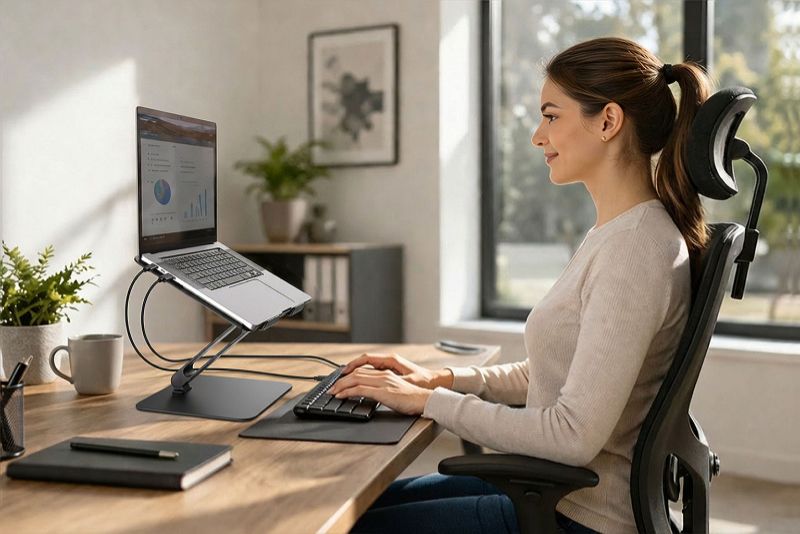
Forget about a regular office chair
It is unsuitable for long work at a computer. You need an ergonomic chair so you can adjust the headrest, backrest, seat height and armrests.
How do you know you are sitting correctly? Your feet are flat on the ground or on a footrest and your knees are at a 90° angle. You sit upright, your head and lower back are supported, your shoulders are relaxed and your elbows are at a right angle.
The desk should adapt to you, not the other way around
When typing on a keyboard, your arms must be in a natural position (approx. 90° at the elbow), so also focus on desk height. On the market, you can find desks about 70–75 cm high, which is ideal if you are 165–180 cm tall.
If you do not fit into this range or want to choose the height yourself, we recommend a height-adjustable desk. You can set it precisely to the millimeter, and you can also alternate between sitting and standing, which is healthiest for the body.
The monitor belongs in front of you, not to the side
Place the monitor directly in front of you so you do not turn to the side and strain your cervical spine. Make sure the distance from your eyes is approximately 45–70 cm (the larger the screen, the greater the distance).
The top edge of the screen should be at eye level or slightly below. This can be a problem when working on a laptop, tablet or phone. To avoid hunching, you will need to raise it.
A stack of books is not a solution
Instead, get a dedicated stand for a laptop, tablet or phone. In our offer, you can choose from several elegant options that will improve your (work) life. How?
- You will get the screen into the correct position that you choose yourself. We offer simpler models with 4–8 adjustable angles as well as models where you can adjust the tilt and angle precisely to your needs.
- The cutout in the stand dissipates heat, so your device will not overheat and its performance or lifespan will not decrease.
- The stands have an anti-slip finish, so your laptop, tablet or phone stays firmly in place and will not get scratched.
- You can fold them in a few seconds and store them in a case. Thanks to this, you can take them anywhere with you.
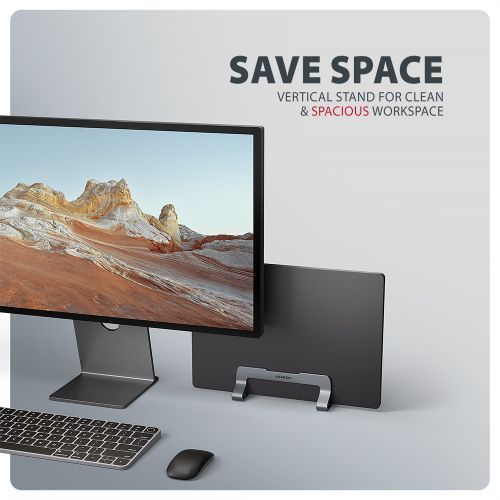
If you need more space on your desk, we recommend vertical models AXAGON STND-VG and STND-VB, where you can easily insert your laptop or tablet.
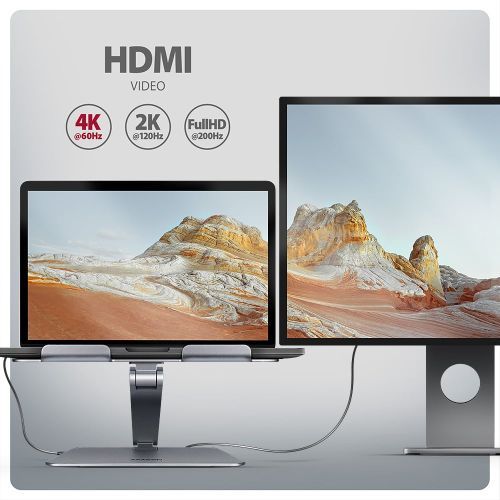
If you use multiple devices at once, you will appreciate AXAGON HMC-STND – a multifunction hub with 6 ports and a stand in one. You can connect an external monitor, 3 USB devices, an RJ-45 connector for Gigabit Ethernet and a Power Delivery charger.
Do not underestimate the placement of the keyboard and mouse
Place the keyboard 5–10 cm from the edge of the desk so you do not have to twist your torso or reach too far. Then place the mouse right next to it. Sliding keyboard trays are completely unsuitable while the mouse remains on the desk. You would unnecessarily lean forward or twist your body.
If you spend most of your day at a computer, get an ergonomic keyboard and mouse. You will reduce tension in your wrists, shoulders and fingers and keep your hands in a natural position.
Stretch regularly and give your eyes a break
Every 30–60 minutes take a short break, during which you stretch your head, back, wrists, arms, legs and ankles. This relaxes stiff muscles and improves blood circulation.
Do not overload your eyes either
- Wear glasses with a blue light filter or enable night mode on your monitor.
- Use dimmed lighting (lower intensity bulbs or fluorescent lamps). Regulate outside light with blinds or curtains. It is important that direct light does not hit your monitor.
- When working with a screen, we blink much less, which dries out the eyes. Try to blink more often or use artificial tears.
- Follow the 20–20–20 rule and every 20 minutes look at something 20 feet away for 20 seconds (approx. 6 meters).
These are small changes, but they have a huge impact. Your body will thank you and you will feel the difference immediately.
Follow!


